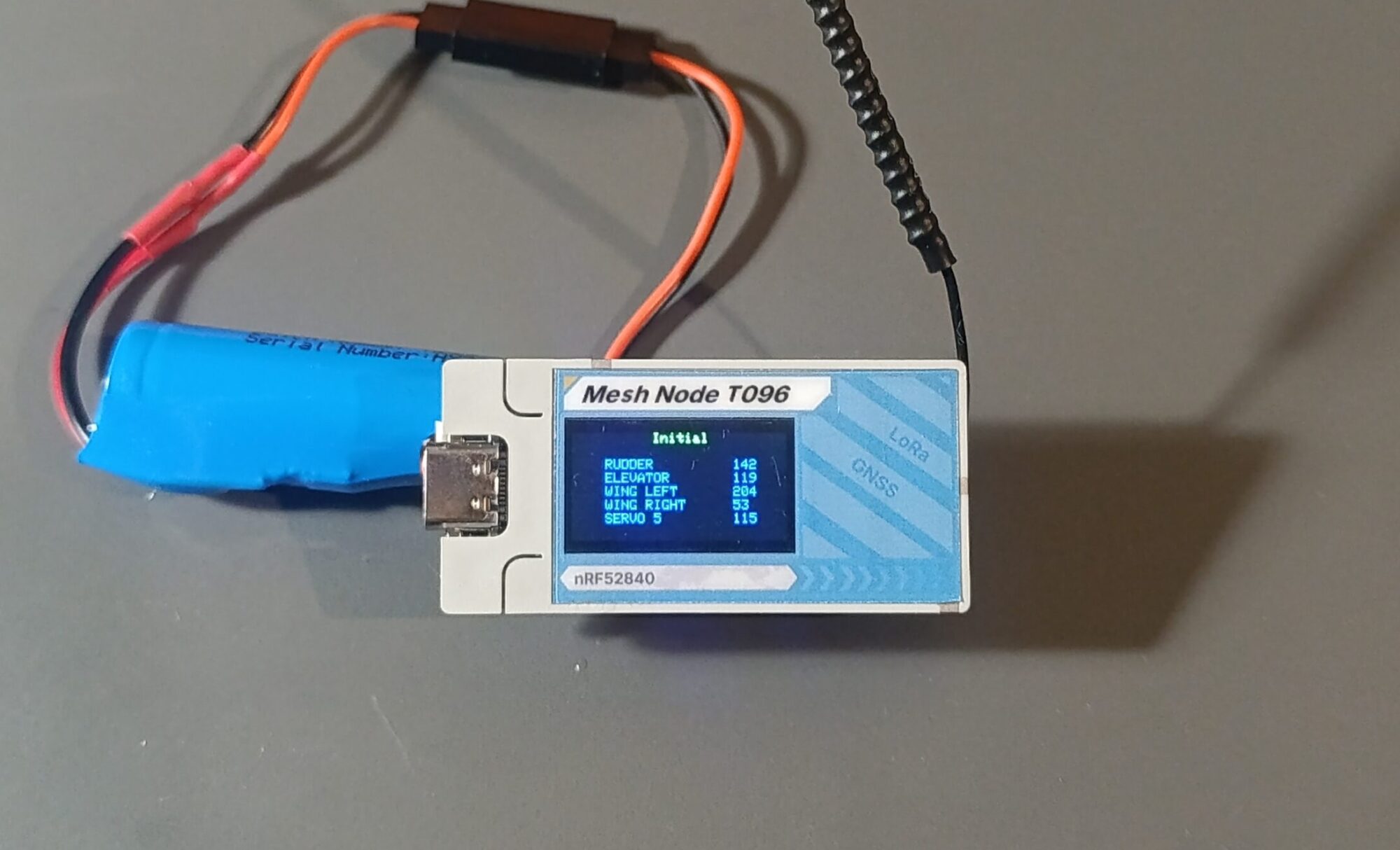
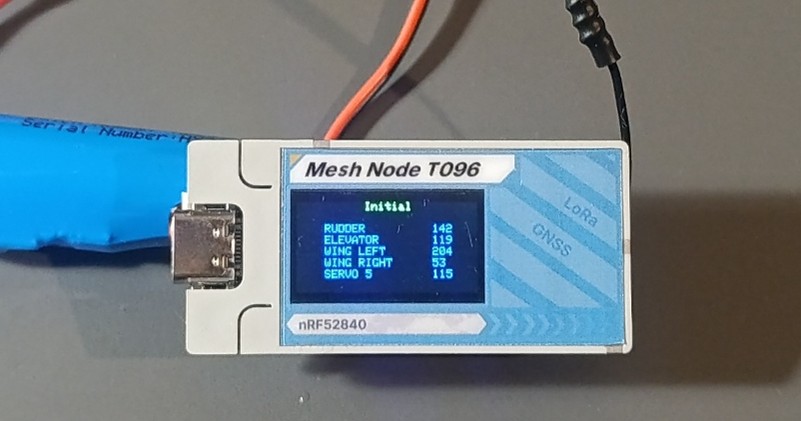
The goal was to develop an electronic timer for free flight models F1A/B/C/Q/H that anyone can make for themselves without being expert on electronics. The only soldering you will need to make is the connections to the servos, switches and battery connector. For the timer I chouse the Heltec Mesh Node T096 that has an nRF52840 microcontroller + GPS + LoRa.
Timer is set trough the onscreen many navigating with the push of the one user button.
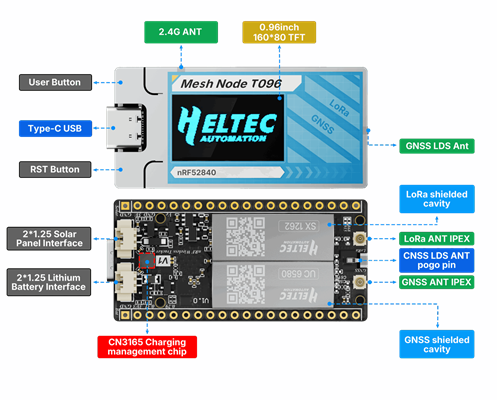
The device itself is about 15 grams.
You can also charge the 1s LiPo battery from the USB-C port. The red diode will be on while charging.
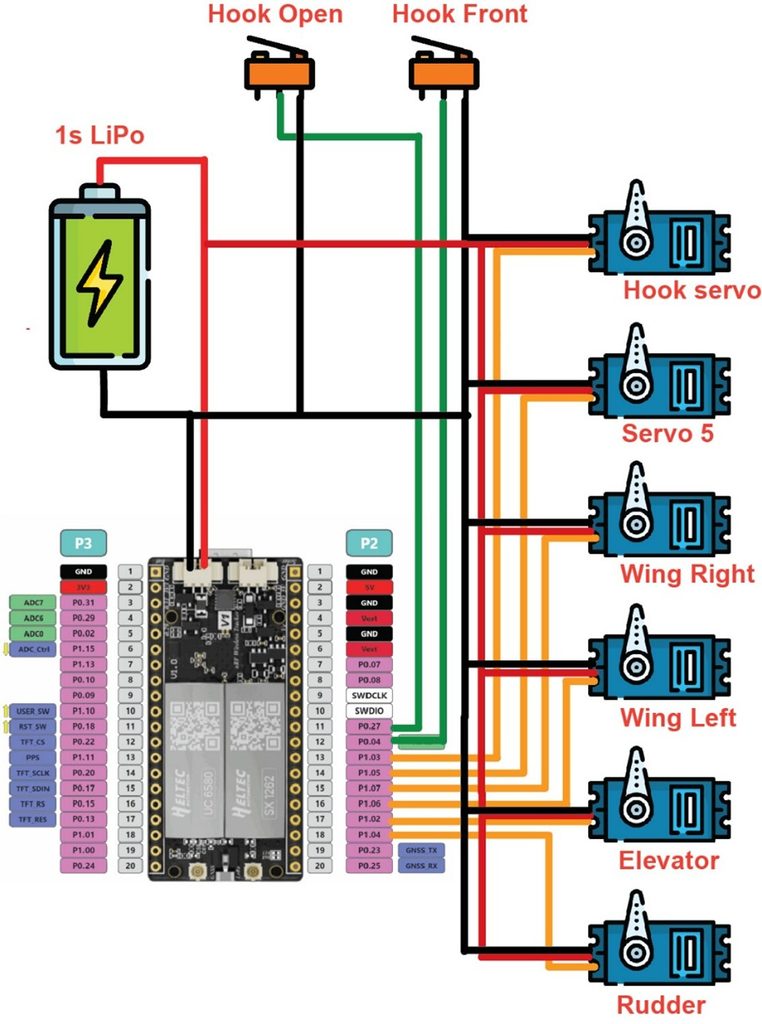
Important: Power to the servos must be provided directly from the battery.
Pin assignment:
- P1.04 – Rudder servo
- P1.02 – Elevator servo
- P1.06 – Left Wing servo
- P1.07 – Right Wing servo
- P1.05 – Servo 5
- P1.03 – Hook servo
- P0.04 – Switch for hook front position (poll to ground to activate)
- P0.27 – Switch for hook open position (poll to ground to activate)
- P0.07 – I left an input for an external RDT (poll to ground to activate)
Setting the timer
When you first click the user button the setting many will appear.
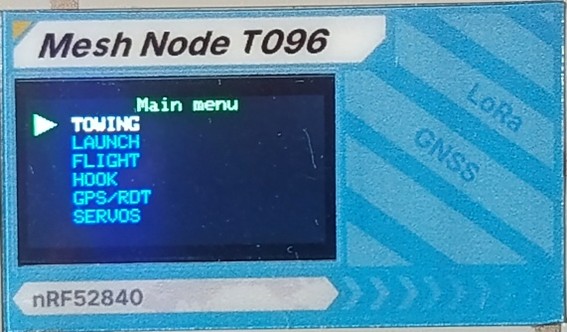
The navigation is simple:
- Short click will select the next item on the current many
- Long click will enter or change the selected item depending on the many
Towing settings
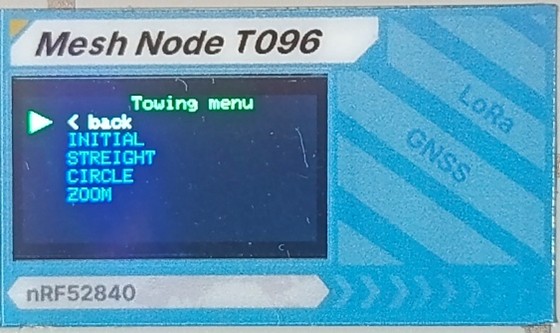
Initial – the servos position when you power on the timer (hook is set to open position)
Straight – the servos position for straight tow
Circle – the servos position for circle tow
Zoom – the servos position when your hook is open ready for launch
Initial settings
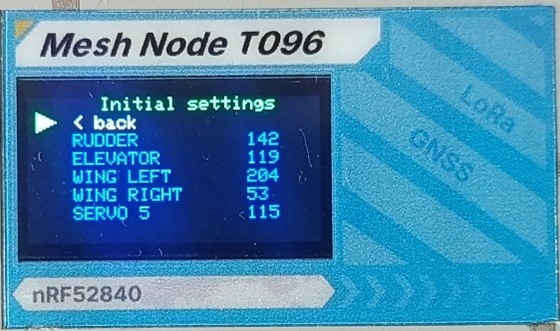
In Initial, Straight, Circle, Zoom and DT Settings you can modify the values for the 5 servos.
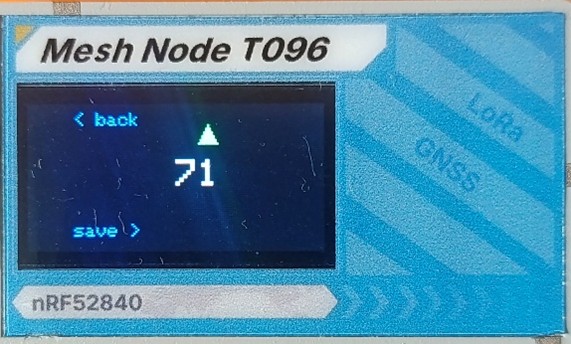
The value for servos is 0 to 255. 128 is the center position of the servo.
0 to 255 corresponds to PWM signal of 800 to 2200 µs.
Launch settings
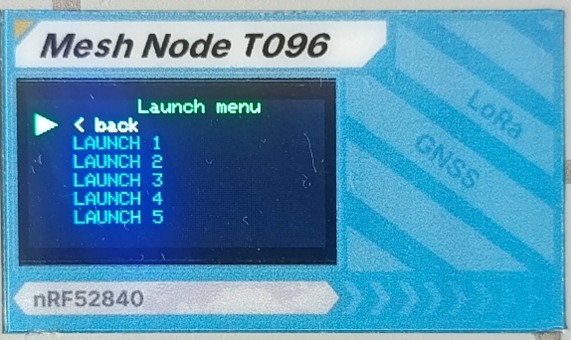
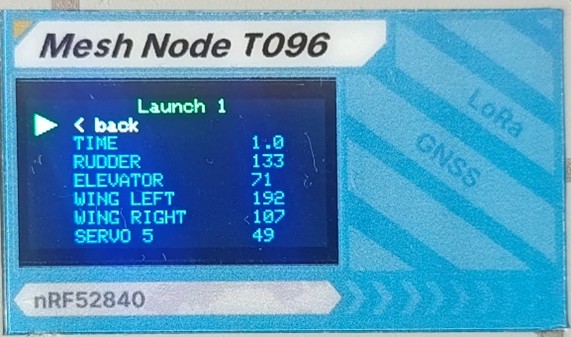
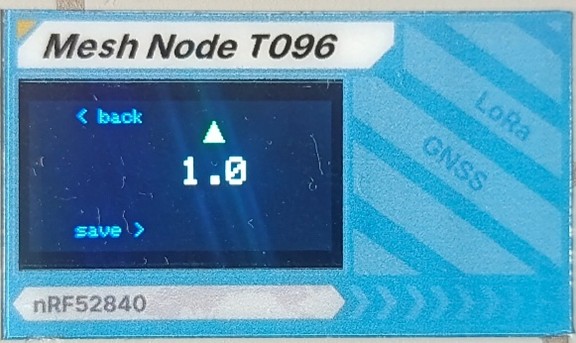
There are 5 different positions during the Launch phase. They are executing in the order 1 to 5. If you do not need 5 just set the time to 0 for the ones you do not need. The time for launch phases can be adjusted 1/10 of a second.
Flight settings
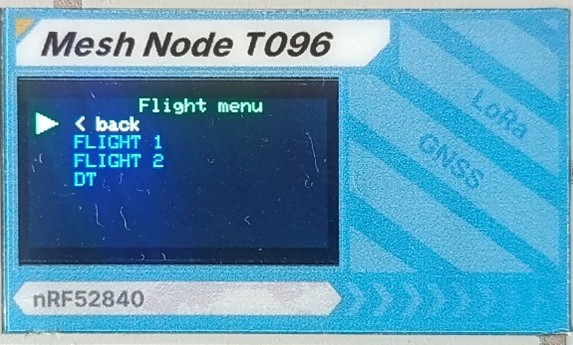
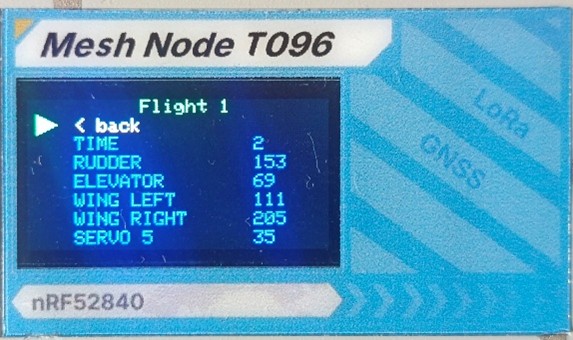
The flight phases are executed after the launch. The difference here is that the time settings is in seconds.
Hook settings
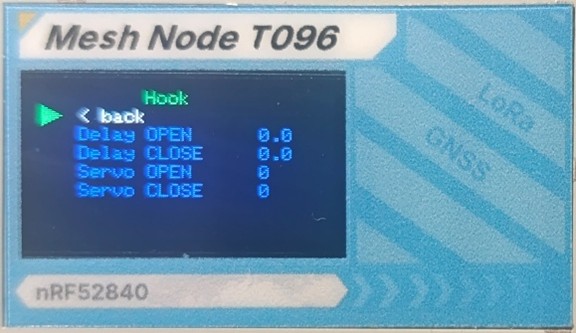
Here you can set the open/close delay of the hook and the servo position for open/close hook.
GPS/RDT Settings
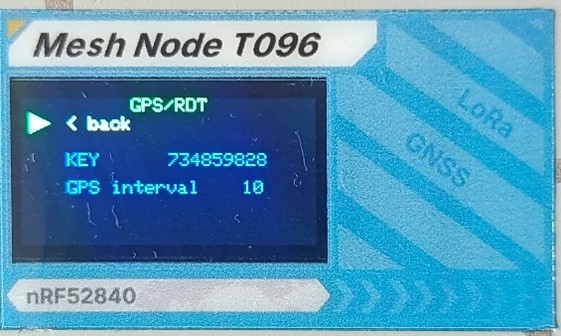
Here you can set the key, this is a 9-digit number that will ensure that only you can activate the DT via the handheld device that needs to have the same key.
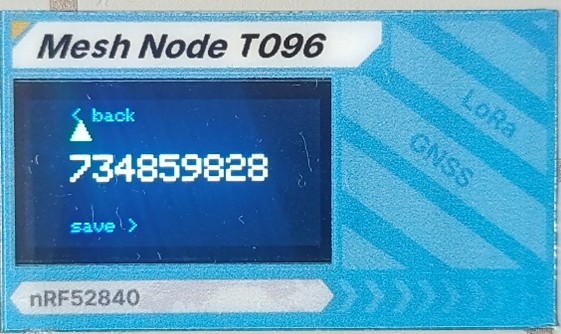
Make sure to chouse an random number, I think 9-digits are enough to ensure nobody else uses the same key.
The GPS interval is in seconds, I will chouse 10 to 20 seconds because if you transmit the position every second the battery will be drained faster.
Servo settings
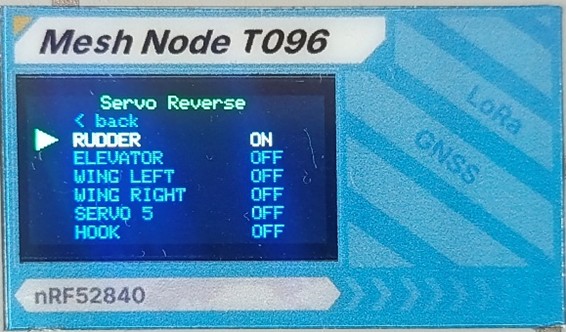
Here you can toggle servo reverse on/off
The Handheld device
For the GPS receiver and DT I chouse Seeed SenseCAP Card Tracker T1000-E, device that is based on the same microcontroller, has GPS and LoRa and it is wary well packed with integrated battery.
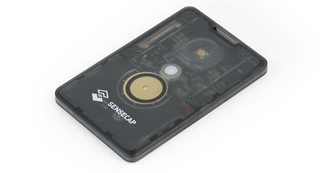
When the device is on the green led will be on.
When you press the button the signal for DT is sent. Press and hold the button for a second to be sure that the model will DT. The device is sending the signal every 0.2 seconds while pressed, if some signal is not received the second will be for sure. While the devise is sending DT signal the red led is on.
To turn off the devise hold the button for more than 5 seconds and then let go. If the led is turned off the device is also.
For tracking the model, you must have an android phone and install the Free_GPS.apk.
What you need
For the timer you will need Heltec Mesh Node T096
https://heltec.org/project/t096/
Download the firmware F1A_Timer_Heltec_T096.ino.uf2
Or for mechanical hook F1A_Timer_Heltec_T096_Mechanical_Hook.ino.uf2
Or for F1B/C/Q F1BCQ_Timer_Heltec_T096.ino.uf2
https://c.gmx.com/@1246121851776669268/r2Ik5lJJbj2Odaz9-rThdA
Enter the DFU mode by double clicking the reset button and copy the firmware.
For the Hand held you will need Seeed SenseCAP Card Tracker T1000-E
Download the firmware Handheld_GPR_RDT_Seeed_SensCAP_T1000-e.ino.uf2
https://c.gmx.com/@1246121851776669268/r2Ik5lJJbj2Odaz9-rThdA
Enter the DFU mode and copy the firmware.
https://wiki.seeedstudio.com/sensecap_t1000_e
On the phone you will need to install Free_GPS.apk for connecting to the handheld and use the GPS tracking.
https://c.gmx.com/@1246121851776669268/r2Ik5lJJbj2Odaz9-rThdA